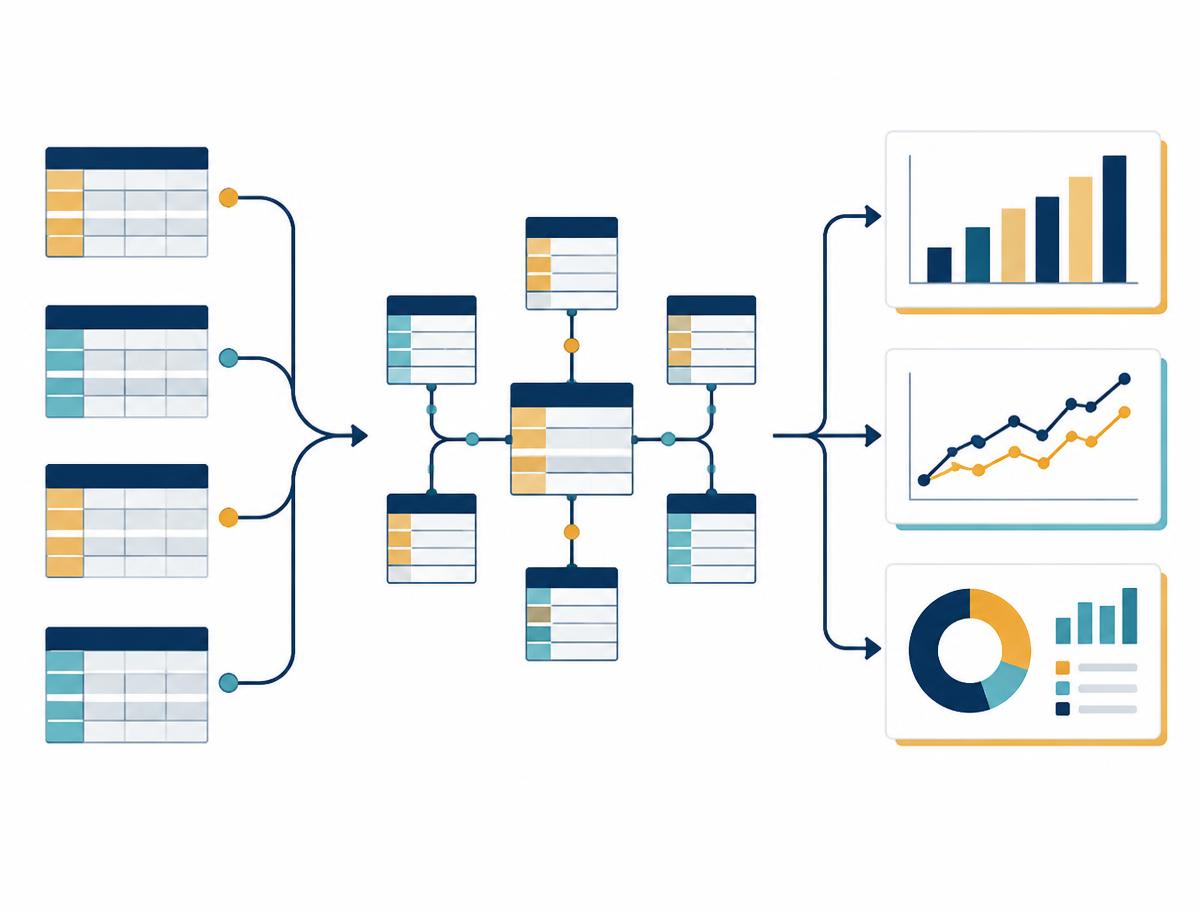
Architecture, schema & metadata design
Review attributes, facts, relationships and reusable metrics to build a consistent semantic layer.
Solution Primary · Consulting
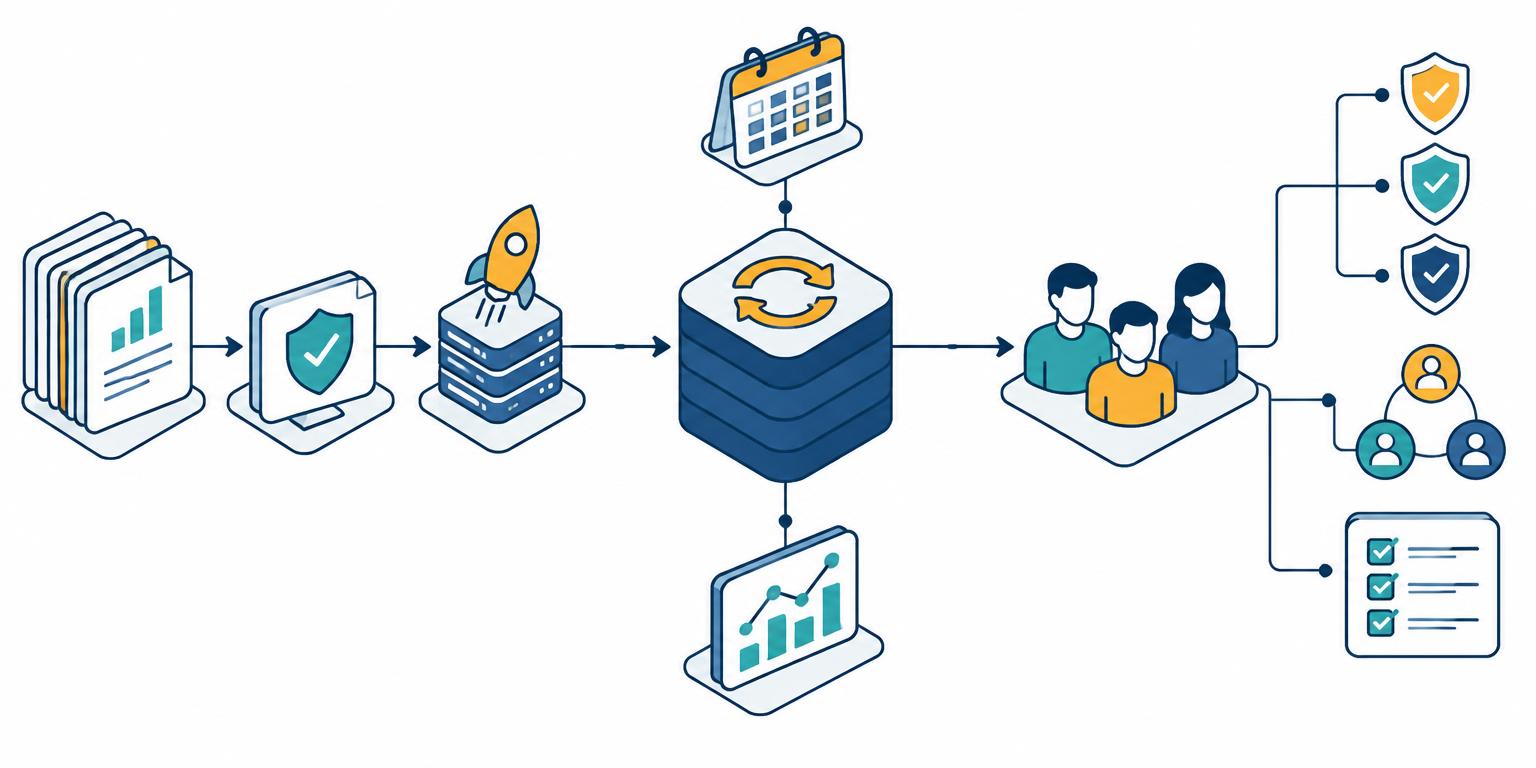
Make enterprise analytics faster, more consistent and easier to maintain. We support MicroStrategy implementations on AWS, Azure, Google Cloud and on-premises infrastructure, including SAML 2.0 single sign-on (SSO) integration with your enterprise identity provider. Automate code and object migrations, Intelligent Cube refreshes, user management and routine administration with workflows your team can monitor and maintain. We also help assess emerging container-based approaches where appropriate.
Where we can help
Services
Review attributes, facts, relationships and reusable metrics to build a consistent semantic layer.
Plan upgrades across on-premises, AWS, Azure or Google Cloud environments with dependency checks, validation and a practical cutover approach. Assess container-based modernisation separately against release support and operational readiness.
Build dossiers, mobile experiences and contextual analytics around the decisions users need to make.
Investigate SQL generation, database workloads and VLDB settings to address performance bottlenecks.
Assess SAML 2.0 support for your exact MicroStrategy release and deployment, then plan integration with identity providers such as Microsoft Entra ID, Okta or ADFS where supported. Configure metadata, entity IDs, assertion consumer service URLs, signing certificates and identity mapping; validate sign-in flows and troubleshoot assertion, redirect and certificate errors. Authentication does not replace MicroStrategy permissions: review access separately and document certificate renewal and operational handover.
Build repeatable code and metadata-object promotion workflows between development, test and production. Include dependency checks, migration packages, approval gates, post-migration validation and rollback planning; integrate with existing release pipelines using tooling supported by your MicroStrategy version.
Automate Intelligent Cube publishing and refresh workflows around data-load completion or agreed schedules. Define full or incremental refresh strategies where supported, coordinate dependencies, monitor job results and add controlled retries and failure alerts so stale data is visible to operations teams.
Automate approved user provisioning and deactivation, group membership updates and access reviews while preserving least-privilege controls and audit trails. Extend workflows to related tasks such as subscription scheduling, cache maintenance, job monitoring and administration reporting, using supported REST APIs or Command Manager where available for your release and deployment. Document service-account access, credential handling and operational ownership.
MicroStrategy automation · Delivery scope
Begin with a focused pilot, validate it in non-production and extend only after acceptance. Tools and supported operations are checked against your exact release, licensing and hosting model; scope and deliverables are agreed for your engagement.
Related tasks can include subscription scheduling, cache maintenance, job monitoring and administration reporting when explicitly scoped. Production changes follow your approved change process; credentials stay in approved secrets management, not in scripts or enquiry forms.
Request an automation consultationAutomation project stories · Illustrative
Three hypothetical MicroStrategy automation scenarios covering code migration, cube refresh and user management. These are not client case studies or measured results; each shows proposed work, validation and intended outcomes. Tooling depends on release and deployment support.
MicroStrategy automation FAQs
Common questions about code migration, Intelligent Cube refresh and user-management automation engagements.
Deployment landscape
AWS, Azure, Google Cloud and on-premises deployments remain central to our MicroStrategy consulting scope. We focus on reliable installation, enterprise reporting, upgrades and performance within your existing environment.
OpenShift and similar Kubernetes platforms are an evolving modernisation path, not a required next step for every implementation. We assess business value, team readiness and release-specific vendor support before recommending a change.
Hosting location, cloud ownership and deployment architecture are separate decisions. An existing customer-managed cloud or on-premises installation is not automatically the vendor’s containerised CMC offering.
MicroStrategy · Architecture comparison
Illustrative, simplified reference diagrams—not client architectures or installation blueprints. Arrows show logical access and connectivity, not network rules. Identity, monitoring, backups and security controls apply across every design.
Established deployment approach
AWS account · VPC
EC2 / virtual machines
MicroStrategy services
Web / Library · Intelligence · Semantic layer
Metadata repository + analytics sources
Data sources may be outside the illustrated boundary; metadata, analytics databases and storage have distinct roles.
MicroStrategy application services on cloud compute, with approved database connectivity. Analytics sources may include Redshift, supported databases or external systems.
Established deployment approach
Azure / Google Cloud · Private network
Azure VMs / Compute Engine
MicroStrategy services
Web / Library · Intelligence · Semantic layer
Metadata repository + analytics sources
Data sources may be outside the illustrated boundary; metadata, analytics databases and storage have distinct roles.
A similar application architecture on Azure or Google Cloud, using provider-specific networking and compute. Connect supported analytics sources through approved drivers.
Established deployment approach
Customer data centre · Private network
Physical servers / virtual machines
MicroStrategy services
Web / Library · Intelligence · Semantic layer
Metadata repository + enterprise data sources
Data sources may be outside the illustrated boundary; metadata, analytics databases and storage have distinct roles.
Application services run on customer-owned infrastructure, with connections to internal data warehouses and approved remote sources.
Emerging option · Support validation required
Customer infrastructure · OpenShift cluster
Operator-managed container workloads
Containerised analytics services
Web / Library · Intelligence · Semantic layer
Persistent storage + approved databases / sources
Data sources may be outside the illustrated boundary; metadata, analytics databases and storage have distinct roles.
Conceptual CMC-style architecture on a customer-controlled Kubernetes platform. OpenShift can run on cloud or on-premises infrastructure; it is not another cloud provider.
These views compare deployment foundations, not CMC versus SaaS contracts. Fully hosted SaaS changes the operating responsibility; cloud-hosted virtual machines are not automatically the vendor’s containerised CMC offering.
MicroStrategy · Requirements assessment
Cloud, on-premises or an emerging OpenShift architecture: start with your hosting policies, data and operating capacity.
Established cloud and on-premises options remain the starting point. OpenShift requires a clear business case and release-specific support.
Indicative assessment, not vendor certification or a compliance approval. Support confirmations are client-reported and need evidence. Answers are not saved or submitted. Analytics records assessment starts, completions and recommendation categories, not your answers or release description.
MicroStrategy ONE · Decision guide
The right fit depends on your hosting requirements and who will run the environment. Both models retain customer responsibilities for data and access.
Indicative guidance, not a compliance assessment or a vendor support guarantee. Confirm release compatibility, service scope and total cost. Answers stay on this page and are not submitted.
MicroStrategy ONE · Cloud deployment options
MicroStrategy ONE’s enterprise analytics and semantic graph can support different cloud operating models. The key decision is who operates the platform—not simply where it runs. Current vendor documentation uses the Strategy name.
Customer Managed Cloud
Runs within your organisation’s own public cloud or private infrastructure. Your team controls the environment and its infrastructure boundaries.
Fully hosted SaaS
Vendor-hosted SaaS: Strategy oversees the underlying cloud infrastructure, while your organisation retains control of its application and data.
Customer Managed Cloud
Your team manages the application and surrounding infrastructure, including capacity, monitoring, maintenance and deployment of updates. Strategy supplies deployment artifacts and support under the agreed service scope.
Fully hosted SaaS
Infrastructure operations are handled by the vendor under the service agreement. Your team still owns reporting, data integration, user administration and agreed application responsibilities.
Customer Managed Cloud
Your organisation manages infrastructure security, network policies, access, encryption and incident response within its environment. Responsibilities are agreed with the vendor.
Fully hosted SaaS
A shared-responsibility model: the vendor manages its hosted infrastructure controls; your team remains responsible for data governance, identities, permissions and secure configuration.
Customer Managed Cloud
Containerised deployment uses Kubernetes in customer-managed infrastructure. OpenShift compatibility, prerequisites and support must be checked for the selected release.
Fully hosted SaaS
A vendor-managed cloud environment reduces the infrastructure your team needs to operate. Available regions, integrations and customisation depend on the selected offering.
Customer Managed Cloud
Plan for software and support, cloud resources and the people needed to operate the platform. Greater control also brings greater operational responsibility.
Fully hosted SaaS
Plan for the SaaS subscription and any integration or administration work. Confirm what is included rather than assuming every operational task is covered.
Customer Managed Cloud
You need customer-controlled infrastructure and have the operational capability to maintain it, or your policies require a deployment inside your own environment.
Fully hosted SaaS
You want to reduce infrastructure management and focus your team on analytics delivery, subject to your security, integration and service requirements.
We help evaluate infrastructure ownership, data connectivity, security requirements and operational readiness, then define an implementation and handover plan. Neither model automatically guarantees compliance or lower cost.
Final responsibilities, capabilities and support depend on the selected release and service agreement. References: Strategy CMC service guide and Managed Cloud Enterprise documentation.
MicroStrategy on OpenShift · Pre-deployment review
Confirm the evidence behind each item with your platform team and vendor. OpenShift is an emerging deployment option, not a required migration from AWS, other cloud or on-premises environments.
0 of 12 checks reviewed
Include patch levels and the planned upgrade path.
Verify the support matrix, prerequisites and service scope for this exact combination—not Kubernetes support alone.
Review database drivers, metadata repository, identity integration and existing reports before committing.
Check image versions, licensing and the vendor-supported packaging; do not assume a VM installation can be containerised unchanged.
Confirm OpenShift compatibility, installation permissions and lifecycle / upgrade procedures.
Check security context constraints, service accounts, image scanning and supported configuration without weakening cluster policies.
Use vendor prerequisites and load testing; agree quotas, availability and capacity headroom.
Validate approved routes to data sources, identity providers and artifact registries, including restricted-network requirements.
Confirm supported storage classes, access modes, metadata database compatibility and backup / restore design.
Agree responsibility for incidents, access, application maintenance and vendor escalation.
Set recovery objectives, rehearse restore procedures and verify alerts, audit logs and secrets handling.
Complete performance and user acceptance testing; document rollback, change control and operational handover.
This checklist tracks your review, not verified compatibility or production approval. Vendor support remains release-specific; an unsupported combination must be resolved before deployment.
Loading saved progress…
Analytics records progress counts and changes, not which requirements you have reviewed.
Discuss your OpenShift readinessOrganisation experience
Selected organisations from our experience. Names are not endorsements; the implementation examples below are illustrative and are not attributed to these organisations.
Project stories · Illustrative, not client work
Hypothetical project scenarios across five sectors, showing a possible delivery approach and intended outcomes. These are not real client work, verified case studies or measured results.
End-to-end implementation approach
A complete delivery scope covering platform setup, enterprise reporting and operational handover.
Agree stakeholders, use cases, source systems, business metrics and acceptance criteria.
Plan environments, sizing, network connectivity, identity and platform installation on AWS, Azure, Google Cloud or on-premises infrastructure. Evaluate OpenShift separately when modernisation requirements justify it.
Develop schema, attributes, facts and metrics; implement reports, dossiers and distribution.
Review access, reconcile data, tune performance and run user acceptance testing.
Plan production cutover and rollback, train users and hand over administration documentation.
Establish monitoring, support ownership, upgrade planning and a prioritised improvement backlog.
For a Customer Managed Cloud deployment on OpenShift, confirm release compatibility and vendor support before selecting the installation architecture.
Practical deliverables
Scope and deliverables are agreed around your environment, priorities and team.
We audit your current platform, data and team to find what's slowing you down.
A clear target architecture and roadmap, sized to your budget and timeline.
Hands-on senior engineers build, migrate and tune — onsite, remote or blended.
Documentation, training and ongoing support so your team owns the result.
Built around your environment
Define the reporting, performance or platform problem first. Agree the users, data dependencies and acceptance criteria before choosing the implementation approach.
Consider access, trusted metric definitions, release compatibility and operational responsibility alongside the technical design—not after rollout.
Plan validation, documentation and knowledge transfer around the people who will own the platform. A successful handover matters as much as the initial deployment.
Start a conversation · Worldwide
Discuss code migration, Intelligent Cube refresh or user-management automation. Share your goals, current environment and project timeline so we can review an appropriate scope.
info@solutionprimary.comTell us what needs to change and what success would mean for your team. Share only non-confidential project context; technical access and sensitive information can be discussed separately.